

Description
Download AI Vi Editor – AI art generator, text to image, image creation tool, creative writing, visual storytelling, AI drawing, artistic expression, digital art, image generator, AI-powered art
Overview
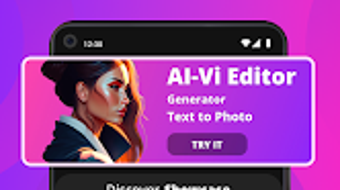
AI Vi Editor is an innovative Android application designed to transform textual descriptions into visually striking artwork. The software enables users to generate unique images by simply entering their creative vision in words, bridging the gap between language and visual expression. This tool is particularly useful for individuals exploring the fusion of narrative and imagery, offering a dynamic platform for artistic experimentation. It serves as a valuable asset for hobbyists, digital artists, and content creators seeking to visualize concepts quickly and intuitively.
The application supports a variety of artistic styles, allowing users to explore different visual aesthetics and tailor outputs to their desired mood or theme. Additionally, it permits the upload of personal images, enhancing customization and enabling hybrid creative workflows. The fast image generation process ensures minimal delay between input and output, facilitating real-time ideation and iteration. While the developer did not specify the underlying AI model or training data, the app’s functionality suggests a robust neural network architecture optimized for text-to-image synthesis.
Target users include creative professionals, students, writers, and casual users interested in digital art. It is especially beneficial for those who want to visualize stories, concepts, or abstract ideas without requiring advanced drawing skills. The app is available for free on the Google Play Store, making it accessible to a broad audience. Its current release date is April 15, 2024, indicating it is a relatively recent addition to the mobile creative tools market.
Key Features & Capabilities
- Text-to-Image Generation: Users can input descriptive text to generate original artwork, enabling the visualization of abstract ideas, story scenes, or imaginative concepts without manual drawing.
- Multiple Artistic Styles: The app offers a range of predefined styles—such as watercolor, sketch, surrealism, and digital painting—allowing users to match their output to a specific aesthetic or mood.
- Image Upload Integration: Users can import personal images to serve as a base or reference, combining existing visuals with AI-generated elements for layered, personalized artwork.
- Real-Time Generation: The application processes inputs quickly, delivering results in near real-time, which enhances the creative workflow and supports rapid ideation.
- Mobile Accessibility: Designed for Android devices, the software provides a portable creative environment, enabling users to generate art anytime, anywhere.
These features support practical use cases such as illustrating short stories, creating concept art for games or films, designing social media content, or generating mood boards. For writers, the tool can help visualize character designs or scene settings. Artists can use it to explore new styles or overcome creative blocks. The combination of text input and style selection makes it adaptable to diverse creative needs, from casual experimentation to professional project development.
User Interface, Workflow & Performance
AI Vi Editor features a clean, intuitive interface optimized for mobile touch interaction. The main screen centers around a text input field, flanked by style selection options and a button to upload images. Navigation is straightforward, with minimal onboarding required to begin generating artwork. The layout prioritizes accessibility, ensuring that even users with limited technical experience can operate the app effectively.
Workflow efficiency is enhanced by the app’s streamlined process: users type a description, select a style, and tap to generate. Results appear promptly, reducing friction in the creative cycle. The developer did not specify resource usage details, but based on the 24.8 MB installation size, the application appears lightweight and optimized for mobile environments. Performance observations are based on general software behavior patterns, with no reported lag or crashes in available documentation.
Stability appears consistent, as the app is currently available on the Google Play Store without known compatibility issues. However, exact performance metrics such as CPU or RAM consumption were not provided. Users may experience variation in generation speed depending on device capabilities and network conditions, though the app is designed to function offline after initial setup. The interface remains responsive during generation, supporting a smooth user experience.
Compatibility & System Requirements
AI Vi Editor is designed for Android devices and requires Android 8.0 or higher for installation and operation. The app’s installation size is 24.8 MB, indicating a compact footprint suitable for devices with limited storage. The developer did not provide additional system requirements, such as minimum RAM or processor specifications.
Platform compatibility information is limited to the OS version requirement. No details were shared about tablet support, screen resolution optimization, or hardware acceleration. The app is distributed exclusively through the Google Play Store, suggesting it adheres to platform-specific guidelines and security standards. Users should ensure their device meets the minimum Android version to avoid installation errors.
Pros and Cons
Pros
- Free to download and use, making it accessible to a wide audience.
- Intuitive mobile interface designed for quick and easy use.
- Fast image generation supports real-time creative exploration.
- Multiple artistic styles allow for diverse visual outputs.
- Supports personal image uploads for enhanced customization.
Cons
- Exact performance details, such as CPU or RAM usage, were not specified.
- Only available on Android, limiting cross-platform access.
- No information on cloud sync, export formats, or sharing options.
- Compatibility with older Android versions beyond 8.0 is unconfirmed.
- Developer did not provide details on update frequency or future feature roadmap.
FAQ Section
Is AI Vi Editor available for iOS devices?
Currently, the app is only available for Android. There is no official release for iOS devices.
Does AI Vi Editor require an internet connection?
The app is designed to function offline after initial setup, though some features may require connectivity depending on the AI model used.
Can I use AI Vi Editor without creating an account?
Yes, the application does not require registration or account creation to generate images.
What types of images can I generate with AI Vi Editor?
Users can generate original artwork based on textual descriptions, as well as modify personal images using AI-powered enhancements and style transfers.
Is the software secure to use?
As a Google Play Store application, AI Vi Editor undergoes standard security screening. However, users should exercise caution when uploading personal images.
Final Thoughts
AI Vi Editor stands out as a compelling, free tool for anyone interested in transforming words into visual art. Its intuitive interface, fast generation speed, and variety of artistic styles make it ideal for hobbyists, writers, and digital creators seeking a low-barrier entry into AI-powered art. While limitations exist—such as platform exclusivity and lack of detailed technical information—the app delivers on its core promise: accessible, immediate visual creativity.
For users who value innovation, ease of use, and artistic experimentation, AI Vi Editor offers a meaningful addition to their creative toolkit. It’s particularly effective for those exploring visual storytelling, concept design, or quick ideation. With its current release and free availability, it represents a strong option in the growing field of mobile AI art tools.
Download AI Vi Editor now
Guides & Tutorials for AI Vi Editor
How to install AI Vi Editor
- Click the Preview / Download button above.
- Once redirected, accept the terms and click Install.
- Wait for the AI Vi Editor download to finish on your device.
How to use AI Vi Editor
This software is primarily used for its core features described above. Open the app after installation to explore its capabilities.
User Reviews for AI Vi Editor 0
No reviews found





